We use our own and third-party cookies to analyze our services and show you advertising related to your preferences based on a profile developed from your browsing habits (e.g. pages visited). You can accept all these cookies by clicking on the ACCEPT button or configure them or refuse their use by clicking on the COOKIE CONFIGURATION section.
Rangel Chirino Software Engineering Team Lead Master’s in Electrical Engineering
8 June 2026
Share
Índice de contenido
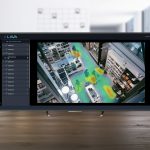
We are introducing a new feature in our LAVA analytics platform that enables video analytics rules to be configured using natural language. Operators simply describe what they want to detect, and the system instantly generates the corresponding rule.
This capability complements the neural network–based analytics already built into LAVA, which are designed for common detection scenarios. Natural language addresses the specific requirements of each company – those that require specialised or continually updated training.
Functionality and Applications
Natural language detection can be used in scenarios such as:
1. Retail: detecting shopping trolleys outside the premises
Every supermarket uses different trolley and basket designs.
2. Banking: safes or ATMs left open longer than usual
A financial institution may need to detect whether a safe door remains open beyond a defined period. The threshold and context vary by branch, as do the design and placement of the safe.
3. Industry: access to machinery areas without visible PPE
A production facility may need to detect when someone enters a restricted area without a helmet or high-visibility vest.
In each case, the operator describes the situation in natural language and LAVA translates it into a detection rule. This reduces setup time and makes it easier to adapt analytics to the specific requirements of each site.
Configuration in Three Steps
1. Define the area of interest
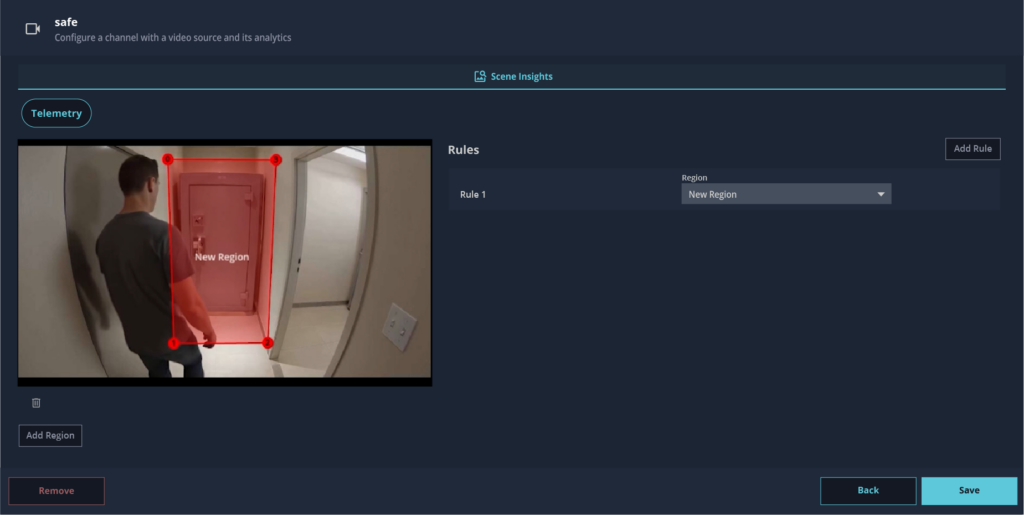
The operator assigns the video channel to the relevant camera and draws the area of interest directly on the image – such as a safe, a door, a restricted access point or any other monitored area.
Creating an area to detect a safe with its door left open.
2. Describe the event in natural language
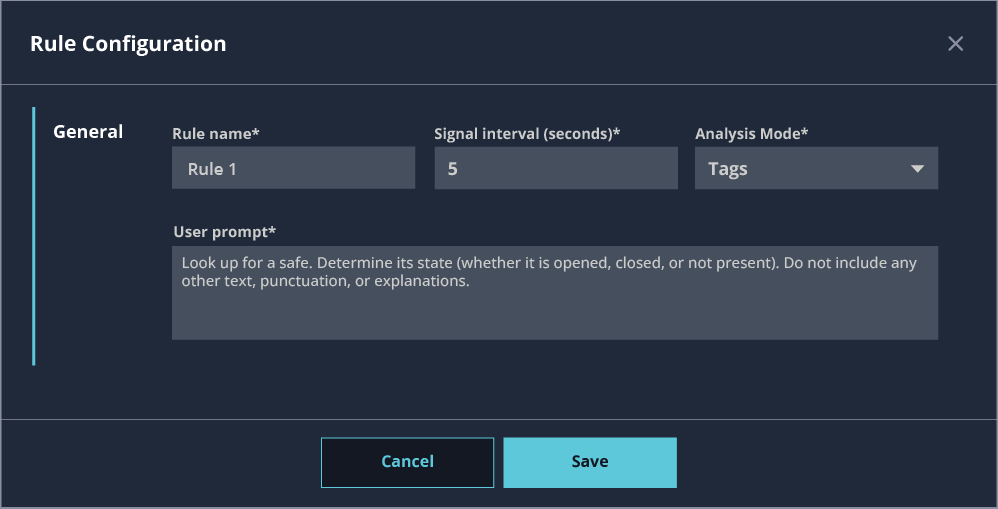
Within the selected area, the operator enters a plain-language description of what they want to detect. For example: “Detect a safe and determine its status (open, closed or no longer present in the marked area).” The configuration is completed by defining the evaluation interval and alert type.
Rule configuration window with natural language event description.
3. Receive alerts
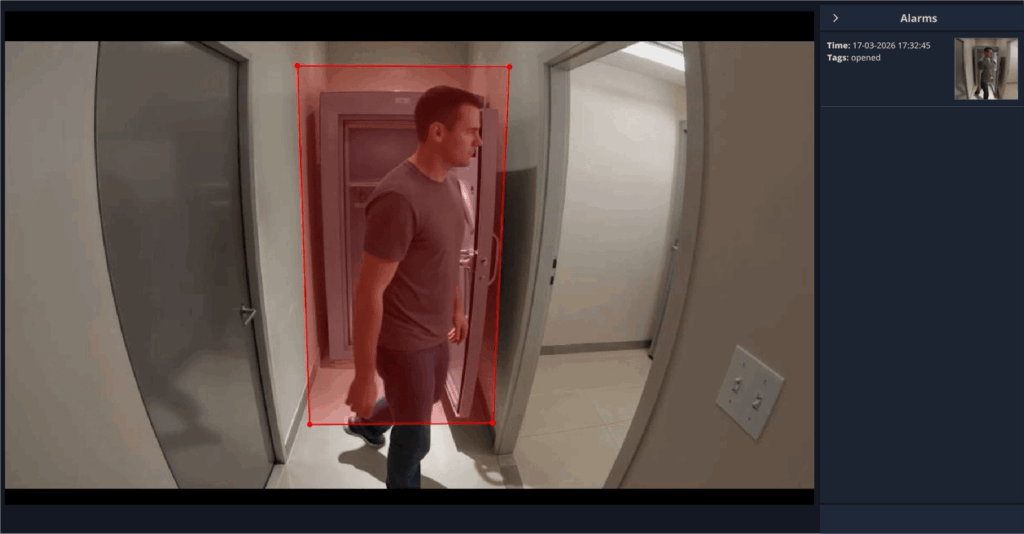
When the defined condition is met, LAVA generates an alert that includes the event time, event type and a snapshot of the detection.
Alert triggered when a safe is detected as remaining open.
From Detection to Forensic Investigation
Each LAVA detection generates metadata associated with the recording, including the time of the event, the event type and a snapshot captured at the moment of detection. This information is stored in Lanaccess Suite, the company’s VMS, where operators can filter by event type, date and time, or zone, and access the corresponding detection snapshot directly.
Final Thoughts
Introducing natural language into LAVA simplifies the configuration of some detections and speeds up adaptation to each installation.
Combined with forensic search in Lanaccess Suite, it creates a single flow from event definition through to post-incident investigation.
Lanaccess technology continues to evolve. We know your organisation is evolving too – tell us about your current security challenges, and we’ll help you find the best way to address them.